

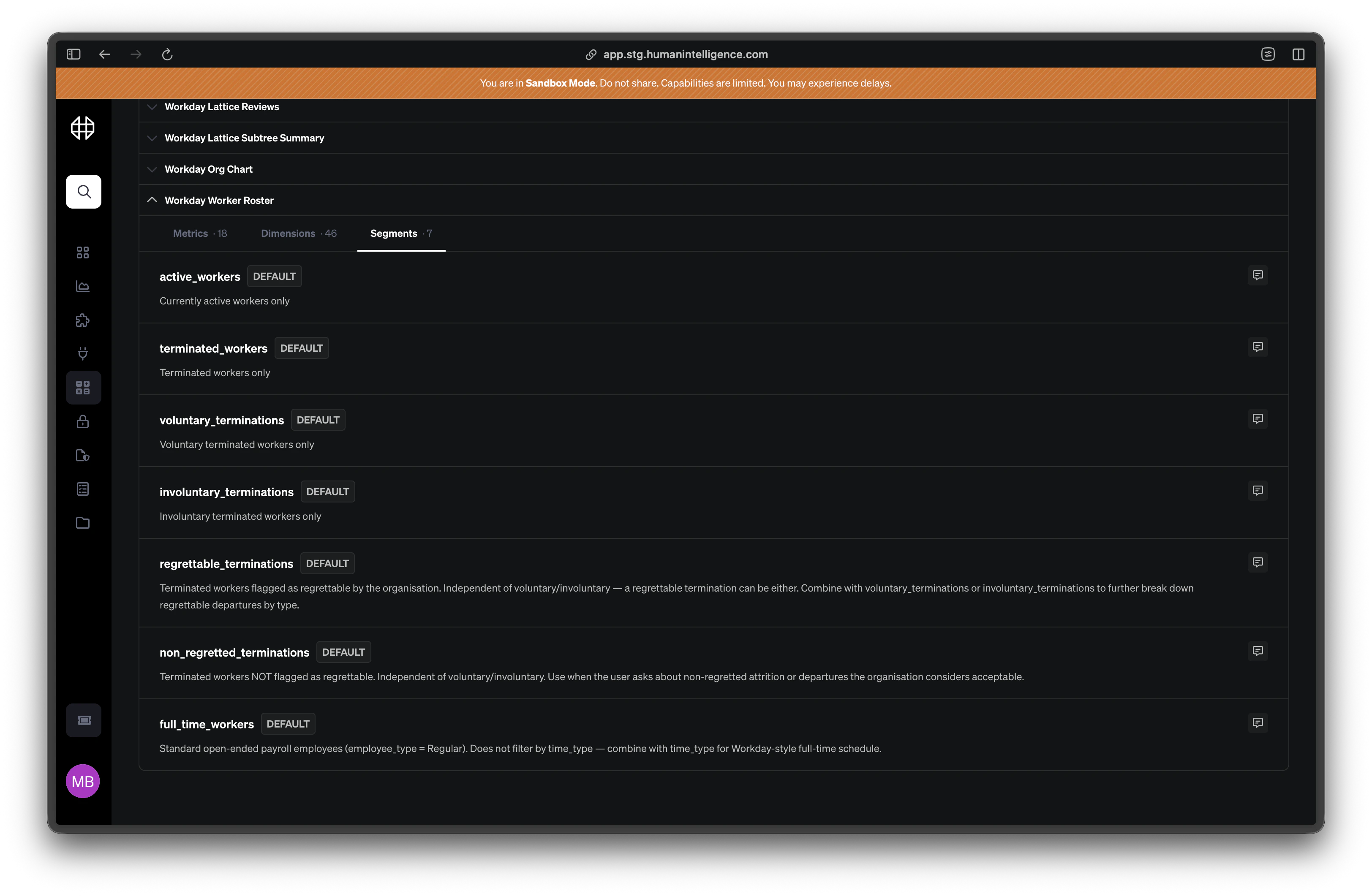
Common Segments
Here are a few segments you’ll see in most Human Intelligence setups:Active Employees
Workers with a current, active employment status. This is the most common segment and often serves as the default scope for headcount-related metrics.
Full-Time Workers
Employees classified as full-time, excluding part-time, temporary, and contingent workers. Useful when you need to isolate metrics to your core workforce.
Internal Candidates
Current employees who have applied for an open role within the organization. Helpful for tracking internal mobility and promotion pipelines.
Engineering Team
Employees in engineering-related departments. A good example of a department-specific segment you might create for your organization.
What Makes a Good Segment
Not every filter needs to be a segment. A good segment is:- Reusable — it applies to more than one metric or analysis
- Clearly named — anyone in your organization can understand what scope it describes
- Documented — it has a plain-English description explaining who’s included and who’s not
- Stable — it doesn’t change so often that dependent metrics become unreliable
Types of Segments
- Enumeration Segments
- SQL Segments
Enumeration segments filter by picking values from a list. They’re the most common and easiest to understand.How they work: You choose a dimension (like
department or employment_type) and select which values to include.Example: A “Full-Time Workers” segment might filter the employment_type dimension to include only Full-Time.Best for: Straightforward scopes where you can point to specific values in your data — departments, locations, job levels, employment types.Platform vs. Custom Segments
Platform Segments
Default segments provided by Human Intelligence, like
active_workers or external_requisitions. These cover the most common scopes and are ready to use out of the box.Custom Segments
Segments your organization creates for your own needs. If you need a scope that isn’t covered by a platform default — like a specific business unit or a custom worker classification — you build it as a custom segment.