

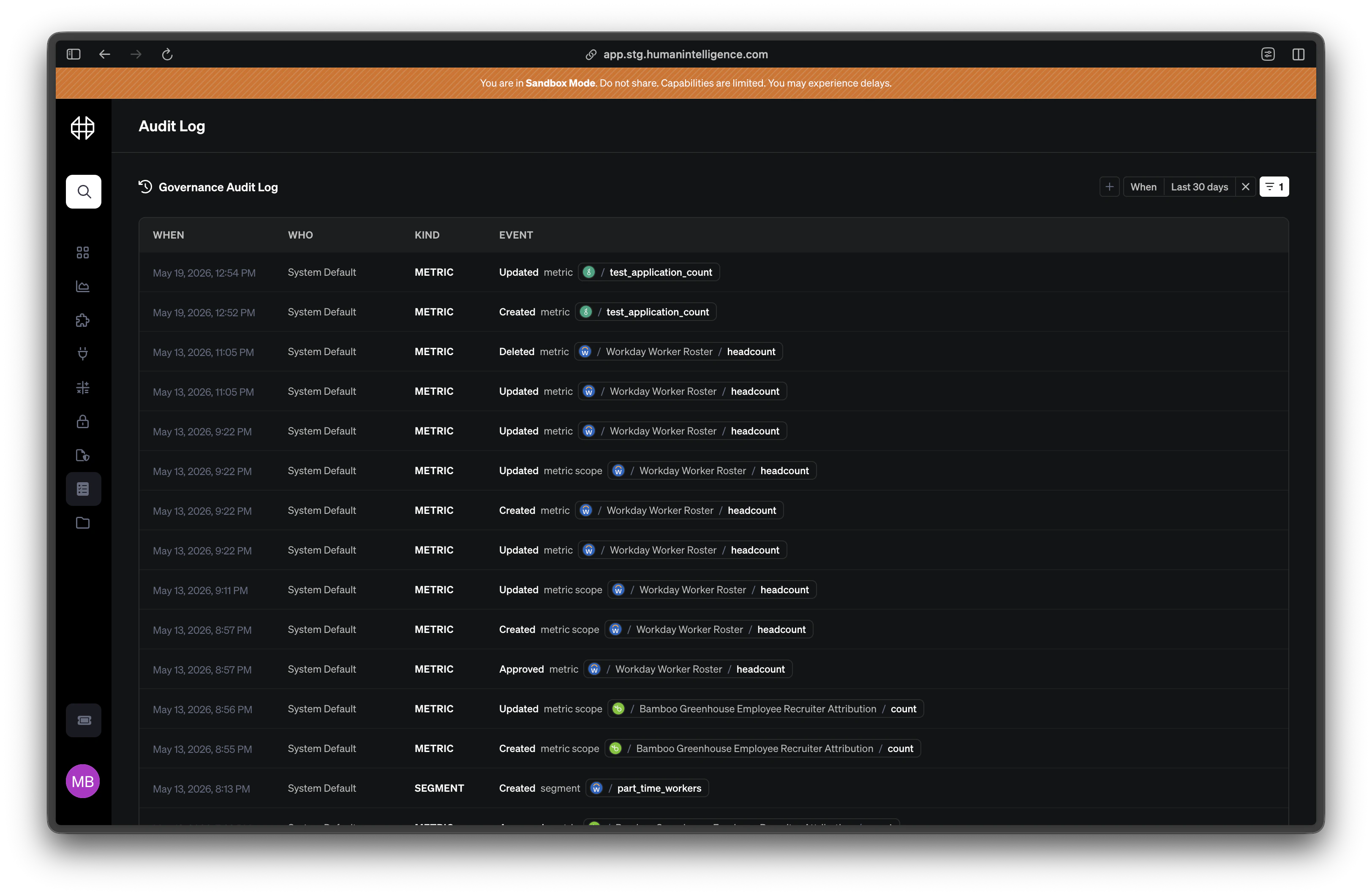
What’s tracked
The audit log captures changes across your entire governance surface:- Metric edits — formula, description, calculation method, and scope changes.
- Segment changes — new segments, updated predicates, and deleted segments.
- Scope changes — default scope and guidance updates.
- Category assignments — categories added to or removed from metrics and dimensions.
- Permission changes — role-category mappings and organization-level permission updates.
- Approvals and reverts — who approved a definition or rolled it back.
Reading the audit log
Each row in the audit log tells you one thing that changed. Here’s what the columns mean:
Click any row to expand it and see the full details, including the reason the person provided when they made the change.
Diffs
When you expand an audit log entry, you’ll see a before-and-after comparison of exactly what changed. For a metric edit, this might show the old formula next to the new one. For a category assignment, it shows which categories were added or removed. Diffs make it easy to review changes without guessing. If a number shifted in a report last Tuesday, you can find the exact change that caused it.People analytics definitions can affect board decks and headcount planning. The audit log keeps those definitions accountable — so when someone asks “why did this number change?”, you always have an answer.