> ## Documentation Index
> Fetch the complete documentation index at: https://docs.humanintelligence.com/llms.txt
> Use this file to discover all available pages before exploring further.
# Dimensions
> The dimensions inside your datasets that you use for grouping, filtering, and tracking trends.
Dimensions are the individual data points inside your datasets that you use to build metrics, slice results, and explore trends. They come in two types.
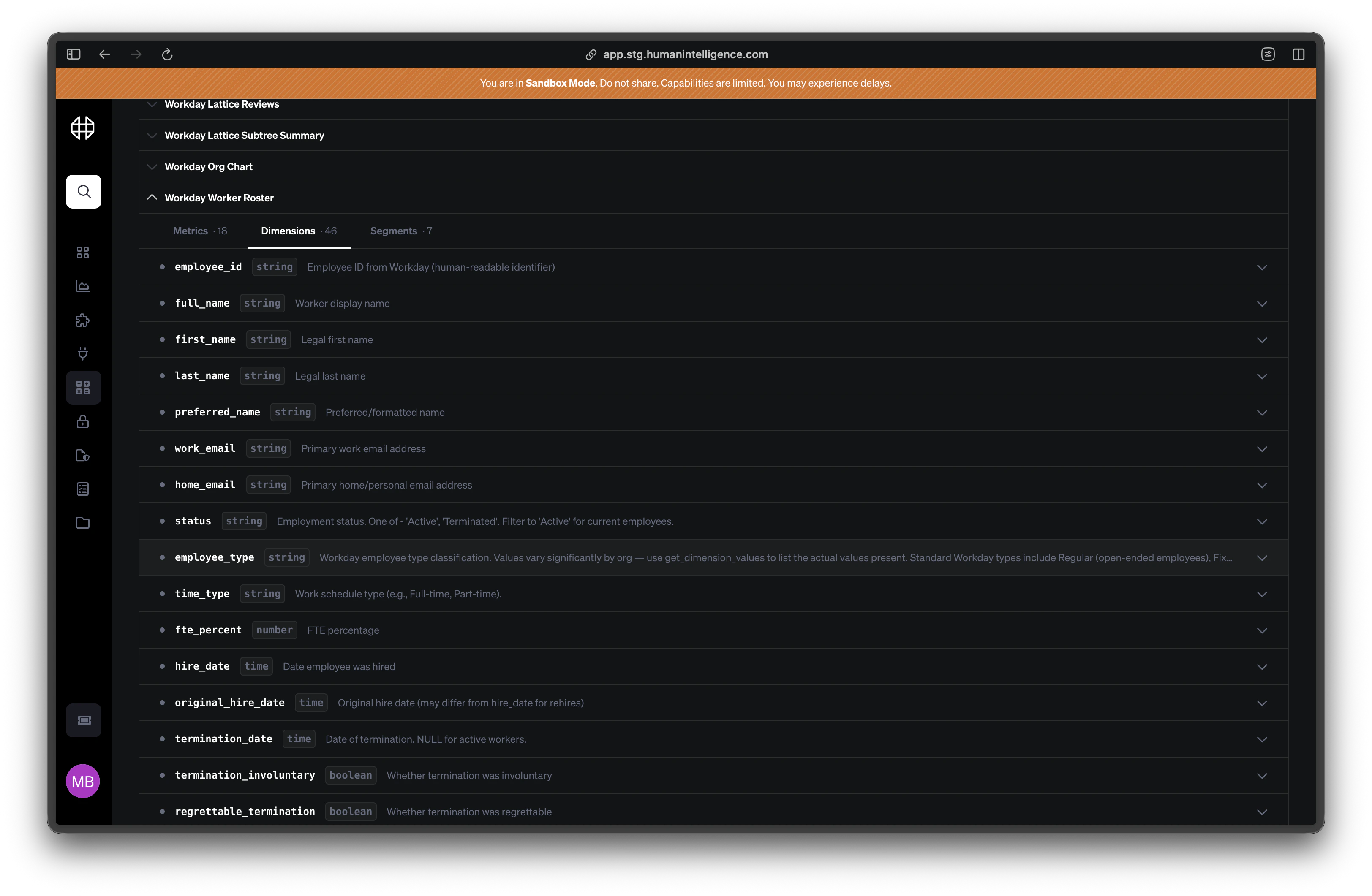 ## Dimensions
Dimensions are what you use for **grouping and filtering**. They describe attributes of your data — the "who," "what," and "where."
| Dimension | What it tells you |
| --------------- | ------------------------------ |
| Department | Which team someone belongs to |
| Location | Where someone is based |
| Job Level | Seniority or career band |
| Employment Type | Full-time, part-time, contract |
| Gender | Self-reported gender identity |
Use dimensions when you want to break a metric down by category — for example, headcount **by department** or offer acceptance rate **by location**.
## Time Dimensions
Time dimensions are date-based dimensions you use for **tracking trends over time**. They answer the "when."
| Time Dimension | What it tells you |
| ----------------- | ---------------------------------- |
| Hire Date | When someone joined the company |
| Termination Date | When someone left |
| Review Date | When a performance review happened |
| Offer Date | When an offer was extended |
| Survey Close Date | When a survey period ended |
Use time dimensions when you want to see how a metric changes over weeks, months, or quarters — for example, attrition rate **over the last 12 months**.
Not sure which dimension to use? Start with the metric you care about and work backward. If you want to see attrition by office, you need the **Location** dimension. If you want to see attrition over time, you need a **Termination Date** time dimension.
## Dimensions
Dimensions are what you use for **grouping and filtering**. They describe attributes of your data — the "who," "what," and "where."
| Dimension | What it tells you |
| --------------- | ------------------------------ |
| Department | Which team someone belongs to |
| Location | Where someone is based |
| Job Level | Seniority or career band |
| Employment Type | Full-time, part-time, contract |
| Gender | Self-reported gender identity |
Use dimensions when you want to break a metric down by category — for example, headcount **by department** or offer acceptance rate **by location**.
## Time Dimensions
Time dimensions are date-based dimensions you use for **tracking trends over time**. They answer the "when."
| Time Dimension | What it tells you |
| ----------------- | ---------------------------------- |
| Hire Date | When someone joined the company |
| Termination Date | When someone left |
| Review Date | When a performance review happened |
| Offer Date | When an offer was extended |
| Survey Close Date | When a survey period ended |
Use time dimensions when you want to see how a metric changes over weeks, months, or quarters — for example, attrition rate **over the last 12 months**.
Not sure which dimension to use? Start with the metric you care about and work backward. If you want to see attrition by office, you need the **Location** dimension. If you want to see attrition over time, you need a **Termination Date** time dimension.